
Appearance
Creating an Odoo API Connection
To connect your Odoo account to our platform, please follow the steps below.
1. Generate an API Key
Log in to your Odoo account.
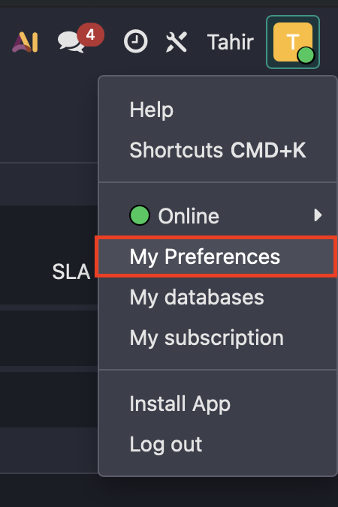
Click on your profile icon in the top-right corner and select My Preferences.
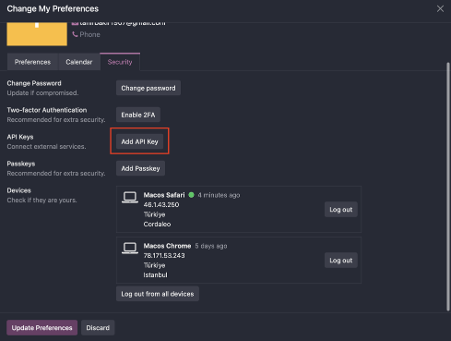
Open the Security tab.
Click New API Key.
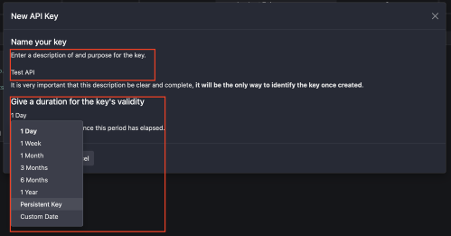
Enter a description (API name) and choose an expiration option (no expiration or a specific date).
Click Generate and copy the generated API Key.
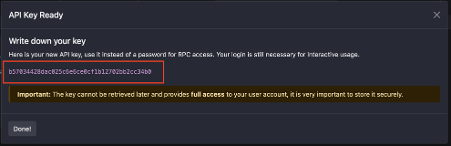
Note: The API Key is displayed only once. Please store it securely, as it cannot be retrieved later.
2. Connect Your Account
Log in to our platform.
Navigate to the Odoo Connect / Integration page.
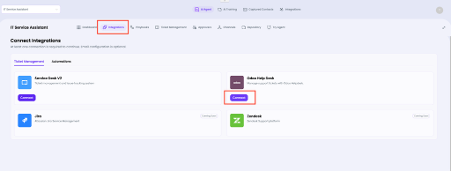
Enter the following information obtained from Odoo:
- API Key
- Personal Odoo URL (Instance URL)
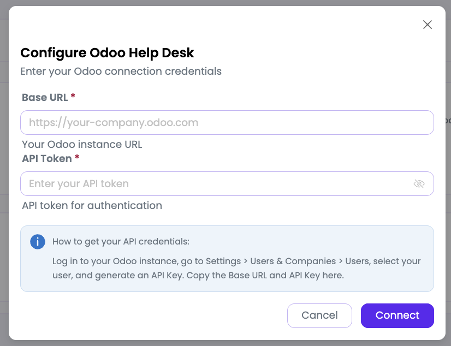
Click the Connect button.
Once the connection is successful, our platform will begin working fully integrated with your Odoo account.